 DeltaGliderIV check-list
On the bottom panel (CLT+Down arrow) you'll find the Check-list MFD with check-list available for each stage of flight. be sure to read them before any stage, they will help you to configure the DGIV systems. Easy reading, print check-list 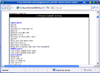 The check-lists are also available as html document for easy reading and print:
Read or print the check-list  The check state display
Once a check-list completed and your vessel set for a stage you can ask the computer if the vessel is in the right configuration. You can find this feature on the computer display, choose option 6 in menu then select the stage you want, the computer will tell you if something is missing or if the configuration is set correctly. Computer tips:  The computer display is located on bottom panel (CTL+down arrow) and you have also a backup display on the main
panel. You can access it's option either by clicking with mouse on the Computer keyboard on the bottom panel (button "DISP")
either by typing on your real keyboard the key "D" then a number. ("D" as "DISP" then a number to choose in menu the option you want)
The computer display is located on bottom panel (CTL+down arrow) and you have also a backup display on the main
panel. You can access it's option either by clicking with mouse on the Computer keyboard on the bottom panel (button "DISP")
either by typing on your real keyboard the key "D" then a number. ("D" as "DISP" then a number to choose in menu the option you want)
|